

BoltShot Screenshot API – Capture Perfect Screenshots...
BoltShot Screenshot API – Capture Perfect Screenshots...
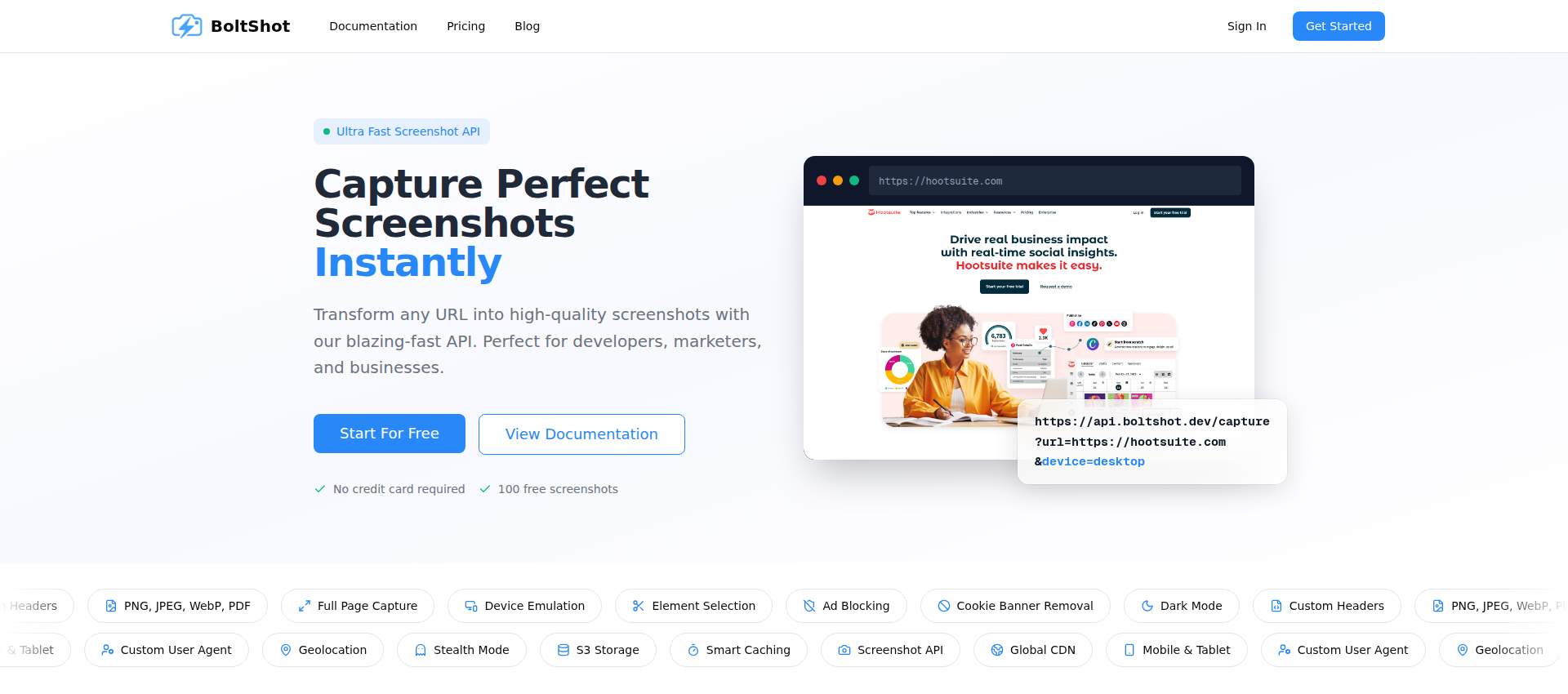
BoltShot is a screenshot API that lets developers and businesses capture any URL as a high-quality image or PDF. The official site offers 100 free screenshots with no credit card required, making it a low-risk tool for automating web captures.
About
BoltShot is a screenshot API that lets developers and businesses capture any URL as a high-quality image or PDF. The official site offers 100 free screenshots with no credit card required, making it a low-risk tool for automating web captures. It is designed for developers, marketers, and businesses who need reliable, fast screenshot generation without managing headless browsers. The service supports multiple output formats, device emulation, and clean capture features like ad blocking and cookie banner removal. BoltShot is a screenshot API that focuses on simplicity and performance, with built-in caching and S3 storage options.
Quick facts
| Feature | Details |
|---|---|
| Pricing | Freemium (free tier + paid plans) |
| Free version limits | 100 free screenshots, no credit card required |
| Account required | Yes, for API key |
| Supported platforms | API (REST) |
| API | Yes, REST API with JSON parameters |
| Supported languages | JavaScript, Python, cURL, PHP (official examples) |
| Output formats | PNG, JPEG, WebP, PDF |
| Device emulation | Mobile, tablet, desktop presets |
Main features
Capture any URL as a screenshot
BoltShot accepts any public URL and returns a screenshot in PNG, JPEG, WebP, or PDF format. You can specify the device viewport (mobile, tablet, desktop) or set custom dimensions. The API also supports full-page capture that scrolls automatically to include content below the fold. This is useful for generating preview images for e-commerce products or archiving web pages.
Clean capture with automatic distractions removal
The API can automatically remove cookie banners, block ads, and eliminate modal popups and overlays. This produces cleaner screenshots without manual editing. Developers can use this feature to generate documentation screenshots or visual records for compliance audits without worrying about intrusive elements.
Element targeting with CSS selectors
BoltShot allows you to capture specific elements on a page using CSS selectors. Instead of capturing the entire page, you can target a particular div, image, or section. This is helpful for creating focused screenshots for tutorials, bug reports, or marketing materials where only a specific component matters.
Smart caching and S3 storage
The API includes built-in caching with configurable TTL to reduce processing time and API costs. Screenshots can be automatically uploaded to S3-compatible storage with direct URL access. The official site claims a 99.9% success rate and <100ms response time for cached captures. This is useful for teams that need to store and serve screenshots at scale.
Device emulation and geolocation
BoltShot supports device emulation for mobile, tablet, and desktop viewports, as well as custom user agent strings and geolocation settings. This allows you to capture how a page renders on different devices and in different locations. It is useful for testing responsive designs or verifying location-specific content.
How to use
- Sign up at the BoltShot website to get an API key. No credit card is required for the free tier.
- Construct a request URL with the target URL, desired format (png, jpeg, webp, pdf), device preset (e.g., iphone-16), and your API key.
- Optionally set parameters like fullPage, cacheEnabled, cacheTtl, and requestStorageEnabled to control capture behavior.
- Send a GET request to https://api.boltshot.dev/capture with the parameters.
- The API returns the screenshot as a blob or direct URL, which you can download or store.
Pricing
| Plan | Price | Screenshots per month | Annual discount |
|---|---|---|---|
| Free | $0 | 100 | Not disclosed on the official site |
| Paid plans | Not disclosed on the official site | Not disclosed on the official site | Not disclosed on the official site |
Pros and cons
Pros
- Free tier includes 100 screenshots with no credit card required.
- Supports multiple output formats: PNG, JPEG, WebP, and PDF.
- Built-in features for ad blocking, cookie banner removal, and element targeting.
Cons
- Paid plan pricing and limits are not disclosed on the official site.
- Account required to obtain an API key.
- No offline or desktop version; only available as a cloud API.
Who it is for
BoltShot is for developers who need to automate website screenshots for documentation, testing, or archiving. It is also suitable for marketers who want to generate product previews or social media images without manual capture. The official site mentions e-commerce, web archiving, analytics, and compliance as use cases.
Who it is not for
BoltShot is not for users who need a GUI-based screenshot tool or offline capture without an internet connection. It is also not ideal for those who require unlimited free usage or who cannot manage an API key. The service is not designed for casual, one-off screenshots.
BoltShot alternatives
HookMesh
HookMesh is a webhook delivery service, not a screenshot API. It focuses on reliable webhook infrastructure for SaaS teams. Pricing and free tier details are not disclosed on the official site. If you need webhook management rather than screenshot capture, HookMesh may be a better fit.
Normal Map Generator Online
Normal Map Generator Online is a free browser tool for converting textures into normal, displacement, and other maps for 3D art. It is not a screenshot API. It processes images locally and supports PNG and JPG uploads. For 3D artists, Normal Map Generator Online is a specialized alternative.
Datamata Studios
Datamata Studios offers free browser utilities and premium data analysis tools for data professionals. It includes a resume builder and negotiation script builder, but does not provide a screenshot API. If you need data tools rather than screenshot capture, Datamata Studios is a different category of product.
Frequently asked questions
Is BoltShot free?
BoltShot offers a free tier that includes 100 screenshots with no credit card required. Beyond that, paid plans are available, but the official site does not disclose their pricing or limits.
Does BoltShot have a free version?
Yes, the official site states that BoltShot provides 100 free screenshots without requiring a credit card. This allows you to test the API before committing to a paid plan.
Does BoltShot add a watermark?
The official site does not mention watermarks. Based on available information, BoltShot does not appear to add watermarks to captured screenshots, but this is not explicitly confirmed.
Can I use BoltShot commercially?
The official site does not specify commercial use rights. You should review the Terms of Service for details, but the page does not provide a clear answer.
BoltShot vs HookMesh?
BoltShot is a screenshot API for capturing web pages as images or PDFs. HookMesh is a webhook delivery service for SaaS teams. They serve different purposes. Pricing and free tiers for both are not fully disclosed on their official sites.
What formats does BoltShot support?
BoltShot supports PNG, JPEG, WebP, and PDF output formats. You can specify the format in the API request parameters.
Does BoltShot require an account?
Yes, you need to sign up to obtain an API key. The free tier does not require a credit card, but an account is necessary to use the service.
How fast is BoltShot?
The official site claims a <100ms response time for cached captures and a 99.9% success rate. These are vendor claims and not independently verified.
Fact gaps
- Paid plan pricing, limits, and features are not disclosed on the official site.
- The official site does not disclose whether a watermark is added to screenshots.
- Commercial use rights and licensing terms are not specified on the official site.
- The official site does not disclose the number of API requests per second or rate limits.
- The official site does not disclose whether the free tier includes all features or has feature restrictions.
BoltShot is a screenshot API that offers a free tier with 100 screenshots and no credit card required, making it accessible for developers and businesses to try before committing to a paid plan.